
A great gaming and entertainment setup is about more than raw hardware. The difference between a space you tolerate and one you love comes down to comfort, ergonomics, sound, and how well everything works together. You can spend a fortune and still end up with a setup that hurts your back and frustrates your eyes — or build a genuinely great one by spending in the right places.
Also Read
This guide walks through how to build the ultimate gaming and entertainment setup at home, from the chair up. It focuses on the components that actually affect your experience day to day, so every dollar goes toward something you’ll feel.
Start With the Chair — Your Most Important Investment
It sounds backwards to start with the chair instead of the screen, but you sit in it for every hour you play. A poor chair causes back pain, bad posture, and fatigue that ends sessions early. A supportive gaming or ergonomic chair with proper lumbar support, adjustable armrests, and the right height for your desk is the foundation everything else sits on.
Look for genuine adjustability over flashy looks: seat height, armrest position, recline, and lumbar support all matter more than racing-stripe styling. If you game or work for hours, this is where comfort is won or lost — spend here before anywhere else.

Get the Display Right
The screen is where the experience lives, but bigger isn’t automatically better. Match the display to how you play.
Monitor vs. TV
For fast, competitive games played up close, a gaming monitor with a high refresh rate delivers smoother motion and a real advantage. For relaxed, story-driven gaming from a sofa, a large TV is more immersive. Many setups benefit from both — a desk monitor for focused play and a TV for casual sessions.
What Specs Actually Matter
Refresh rate (how many frames per second the screen shows) and response time matter most for smooth, responsive gameplay. Resolution affects sharpness, but a high refresh rate often improves the feel of fast games more than extra pixels. Match the display’s capabilities to what your console or PC can actually output — a screen that outpaces your hardware is wasted money.
Sound: The Most Overlooked Upgrade
Audio is half the experience and the easiest thing to underestimate. Good sound pulls you into a game and, in competitive play, lets you hear opponents before you see them. A quality gaming headset offers immersive, directional audio and clear chat without disturbing others — ideal for shared homes. For a more cinematic feel, a soundbar or speaker setup fills the room for movies and relaxed gaming. Many enthusiasts keep both: a headset for focused sessions and speakers for everything else.
Peripherals That Make a Difference
The keyboard, mouse, and controller are your direct connection to the game, and small quality differences are felt constantly.
Keyboard and Mouse
A responsive keyboard with a comfortable feel and a mouse that fits your hand and grip style reduce fatigue and improve precision. Adjustable sensitivity and a reliable connection matter more than the number of programmable buttons. Comfort over hours beats specs you’ll never use.
Controllers and Extras
A good controller with responsive sticks and triggers transforms sofa gaming. Beyond that, accessories like a controller charging stand, a headset hook, and quality cabling keep the setup tidy and ready to play. The aim is a space where everything is charged, connected, and within reach.
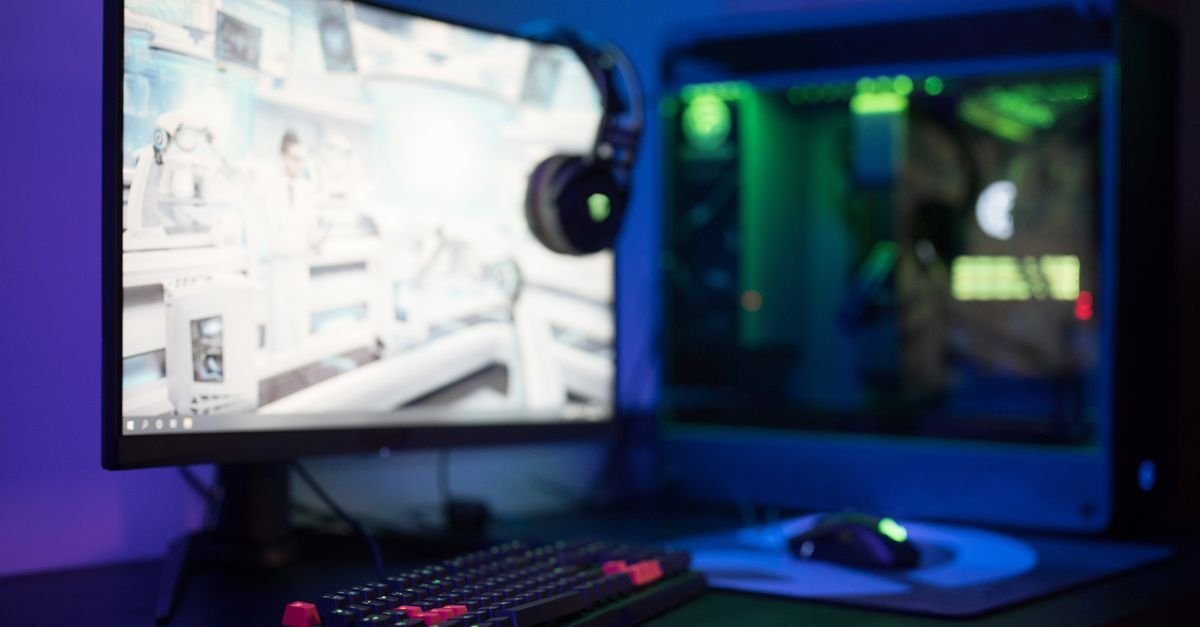
Comfort, Lighting, and Atmosphere
The environment around your setup shapes the experience. Position your screen so the top is at or just below eye level to protect your neck. Avoid glare by controlling light from windows behind or in front of you. Bias lighting — a soft light behind the screen — reduces eye strain during long sessions and adds atmosphere. Ambient LED lighting sets the mood without the cost of a full overhaul. Keep the room cool and well-ventilated, since both you and your hardware perform better when they’re not overheating.
Cable Management and Organization
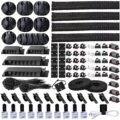
Nothing makes a setup feel cheaper than a tangle of cables. A few cable clips, sleeves, or a under-desk tray transform the look and make cleaning and upgrades far easier. Keeping wires managed also improves airflow and reduces the chance of accidentally unplugging something mid-session. It’s a small effort with an outsized effect on how polished the space feels.
Build in Stages
You don’t need everything at once. Start with a supportive chair and a display that suits your play style, add quality sound, then refine with peripherals, lighting, and organization. Building in stages lets you spread the cost and learn what genuinely improves your experience rather than buying on impulse.

The Seating Decision (Where Backs Are Won and Lost)
The chair outranks every RGB purchase in the setup, because sessions are measured in hours and spines keep score: gaming chairs vs ergonomic office chairs — the honest verdict is that mid-tier ergonomic office chairs (adjustable lumbar, seat depth, and arms) beat equivalently-priced racer-style gaming chairs for long-session comfort; the racer buys aesthetics, the office chair buys posture. The fit checklist regardless of team: feet flat, knees near 90°, lumbar supported without forcing, elbows level with the desk, screen top at eye height. Couch-and-console households run the same ergonomics sideways: seating distance about 1.5× the screen diagonal, the TV centered at seated eye level (mounting height mistakes are the living-room version of the too-high art epidemic), and a lap desk or armrest solution that keeps controller shoulders from creeping upward. Every hour of comfort research repays itself for years — no graphics upgrade ever fixed a sore back.
Sound Strategy: Headsets, Speakers, and the Household Treaty
Headsets win competitive play (positional audio, mic included, household peace) — comfort specs (weight, clamp force, breathable pads) matter more than driver marketing for long sessions, and open-back designs trade isolation for spaciousness in quiet rooms. Speakers and soundbars win cinematic single-player and social couch play — even a modest soundbar embarrasses TV speakers, and placement (ear height, centered) beats price tier. The treaty clauses: late-night hours default to the headset, voice-chat volume respects shared walls, and a “streaming corner” household adds mic isolation basics (soft surfaces, distance from the mechanical keyboard). The upgrade order most setups get backwards: fix the seating and sound before the second monitor — immersion is posture and audio long before it’s pixels.
Cable Management and the Clean-Desk Doctrine
Nothing separates “setup” from “pile of electronics” like cable discipline, and the whole discipline is four purchases: an under-desk cable tray (the spine — power strips and slack live in it, not on the floor), velcro wraps (never zip ties — setups change), adhesive clips walking single cables along desk edges, and a labeled power strip with the surge protection a four-figure electronics stack deserves. The routing method: power down, unplug everything, group by destination (monitor bundle, peripheral bundle, power bundle), route bundles through the tray, and leave deliberate slack loops at moving parts (monitor arms, the headset’s reach). Do it once properly and dusting takes seconds, upgrades take minutes, and the desk photographs like intention — the expensive-look rules’ cable-chaos tell, solved at the source.
The Gaming Corner in a Shared Home (Design Diplomacy)
Most setups live in living rooms and shared bedrooms, and the diplomacy is design: contain the zone — a corner desk, a rug under the station, and a bookcase edge visually file the setup as a “room within the room” instead of a sprawl; tame the RGB — bias lighting behind the monitor (a warm LED strip) improves perceived contrast AND reads as decor, while rainbow-everything reads as a server closet; scene-controlled smart bulbs let the corner go ambient when guests arrive; closed storage — controllers, headsets, and game cases in a cabinet or ottoman keep the zone guest-ready (the small-space storage instincts generalize); the console TV stand earns ventilation attention — consoles cook in closed cabinets; open shelves or vented doors only. The result is the rarest setup of all: one the whole household defends instead of negotiates against.
Upgrade Order and the Budget Reality
The money order that maximizes felt improvement per dollar: 1. Chair and desk height (the comfort floor everything sits on); 2. The display — for PC, a quality monitor at your GPU’s realistic frame range beats chasing specs the hardware can’t feed; for console, the TV’s game mode ON is a free upgrade most households never enable; 3. Audio (headset or soundbar per the treaty); 4. Peripherals — keyboard, mouse, and controller comfort are hand-fit questions, not spec sheets; 5. The platform itself — GPU and console-generation upgrades land LAST, into a setup that can actually showcase them. The budget honesty across every tier: secondhand thrives here (monitors, desks, and last-gen consoles depreciate fast and function identically), the RGB tax is optional at every stage, and the standby-power sweep catches the entertainment stack’s quiet electricity bill. Build the room first, the rig second — the room outlasts every generation.
Display Literacy (The Spec Sheet, Translated)
The monitor aisle in one honest paragraph: resolution — 1440p is the PC sweet spot most hardware can actually feed; 4K belongs to consoles-on-TVs and top-tier GPUs; refresh rate — the jump from 60Hz to 120/144Hz is the one upgrade everyone feels; beyond 165Hz, returns diminish outside competitive play; panel types — IPS for color and angles, VA for contrast on big screens, OLED for the cinematic best with burn-in-aware habits; size and distance — 27 inches at desk range, and TVs sized by the 1.5×-diagonal seating rule; the console TV checklist — game mode ON (the free latency fix most living rooms never enable), HDMI 2.1 for current-gen 120Hz, and HDR set up properly once rather than admired in the store. The spec that outranks all of it: matching the display to what the hardware genuinely outputs — a monitor faster than the GPU’s frames is a receipt, not an upgrade.
Lighting the Session (Eyes, Atmosphere, and the Camera)
Gaming rooms run dark by tradition and pay for it in eye strain: bias lighting — the warm LED strip behind the display is the single best purchase in the category, cutting perceived glare and lifting contrast; ambient floor — one dim warm lamp keeps the room’s brightness within a comfortable range of the screen’s (the eye-strain gap is the delta, not the darkness); RGB with intent — accent zones (shelf back-glow, desk underline) in one or two hues read designed; full rainbow everything reads like a motherboard exploded; scene control via smart bulbs lets one voice command shift the corner from “ranked” to “guests”; and the streamer clause — a soft key light at 45° flatters faces on camera infinitely more than any RGB wall behind them. The smart-home pillar’s scene logic and this section are the same project wearing different genres.
The Maintenance Season (Keep the Rig Alive)
Setups age by dust and neglect faster than by specs: monthly — compressed-air pass on intake vents and fans (consoles and PCs both), microfiber on screens (never glass cleaner on matte panels), and the mousepad’s embarrassing wash; quarterly — deep dust of the case interior or console vents, cable-tray audit as gear shifted, controller and keyboard deep-clean (isopropyl on swabs — the grime is real), and driver/firmware sweeps for GPU, console, and peripherals; yearly — thermal-paste checks on aging PCs running hot, surge-protector replacement audits (they wear out silently), and the honest storage cull of games and clips. Heat is the setup’s slow killer — consoles in closed cabinets and PCs against dust-carpet floors die young — and ten minutes of air monthly is the cheapest performance upgrade sold anywhere.
The Family and Guest Layer (Setups That Share)
Multi-user setups survive on small systems: profiles per person on every platform (saves, settings, and parental controls stop being negotiations); the controller charging station — one dock ends the dead-controller lottery and the cable spaghetti behind the console; headphone splitters and a second headset for couch co-op households with sleeping members; parental sanity settings — platform-level playtime and purchase controls set once, revisited each birthday, beat nightly negotiations; and the guest mode — a couch-friendly party-game shelf and one spare controller convert the private battlestation into the house’s social centerpiece on demand. The design diplomacy section made the corner presentable; this layer makes it hospitable — and the setups that survive decade-scale are always both.
Console, PC, or Both (The Platform Peace Treaty)
The setup guide serves all faiths, and the honest comparison is logistical, not tribal: consoles win the living room — fixed cost, couch-native, zero maintenance beyond vents, and the TV’s game mode as the only setting that matters; PCs win the desk — upgrade paths, work-and-play double duty, and the peripheral depth competitive genres reward; both-households (increasingly the norm) should let the platforms specialize — the console under the TV for social and cinematic play, the PC at the desk for focused sessions — and share the audio, chair, and lighting investments this pillar already ranked. The budget corollary: last-generation consoles and mid-tier GPUs live at the value sweet spot the launch-day tax never visits, and cross-platform saves mean the patient buyer loses almost nothing but the queue.
The Ultimate-Setup Master Checklist
Comfort floor: ergonomic chair fitted (feet flat, lumbar honest, screen-top at eye height), desk height matched, couch distance at 1.5× diagonal. Display: resolution matched to hardware, 120Hz+ where the frames exist, game mode ON, bias light behind it. Audio: headset for ranked and late nights, soundbar for cinematic, treaty clauses observed. Order and power: cable tray, velcro, labeled surge protection, ventilation for anything that computes. The room: zone contained by rug and storage, RGB with intent, closed cabinets for the kit, guest mode ready. Maintenance: monthly air, quarterly deep-clean and updates, yearly thermal honesty. Money order: chair → display → audio → peripherals → platform — the room outlasts every generation, which is why it gets built first.
Health at the Battlestation (The Long-Session Rules)
The setup’s last upgrade is the human: the 20-20-20 eye rule — every twenty minutes, twenty seconds at twenty feet; bias lighting halves the strain the habit doesn’t catch; the hourly stand — spines forgive hours seated only when interrupted; water refills make honest timers; wrist neutrality — keyboard flat or negative-tilted, mouse at elbow height, and the first tingle taken seriously (peripherals fit hands, not aesthetics); volume discipline — headset sessions at conversational loudness protect the hearing that positional audio depends on; and the session hygiene the setup enables — blue-light-warm evening scenes, the goodnight automation that ends the “one more match” spiral at a spoken phrase, and snacks that don’t live at the desk. None of it costs a component — and every hour of future play depends on it more than on any GPU generation.
The Starter Setup, Priced Honestly (Three Real Builds)
The $300 couch build: last-gen console (secondhand), the TV you own with game mode finally enabled, one quality controller, a soundbar from the marketplace circuit, and a charging dock — the highest fun-per-dollar configuration in the hobby. The $800 desk build: used mid-tier ergonomic chair (office liquidations are the secret), 1440p/144Hz monitor, mid-range PC or current console, wired peripherals chosen by hand-fit, cable tray and bias light — the complete no-regrets station. The $2,000+ enthusiast build: the GPU or flagship console, OLED display, audio interface and key light for streaming ambitions — bought LAST, into a room the first two builds already perfected. Every tier shares the same order of operations and the same truth: the room, the chair, and the habits are the platform; the hardware just visits.
The First Weekend, Scripted
Saturday: fit the chair you own honestly (cushion, height, lumbar rolled towel if needed), enable game mode on the TV or set the monitor to its true refresh rate, and run the cable-tray hour — the three free upgrades most setups never claim. Sunday: bias light behind the display, the audio treaty agreed at dinner, and one drawer emptied into the kit’s new closed storage. Total spend: one LED strip — total difference: the setup starts feeling designed, which is the momentum every later upgrade rides on.
And the measure of a finished setup was never the spec sheet: it is the Saturday a friend sinks into the chair, the sound lands exactly right, nothing tangles underfoot, and the session runs long precisely because nothing about the room asked to be noticed. Build for that Saturday first — every upgrade that comes after it is just gravy on a station that already works.
Frequently Asked Questions
What should I buy first for a gaming setup?
A supportive, ergonomic chair — you use it every session, and comfort affects everything else. After that, prioritize a display that matches how you play and a good headset.
Is a gaming monitor or a TV better?
A high-refresh monitor suits fast, competitive games played up close; a large TV is more immersive for relaxed, story-driven play. Many setups use both.
Do I need a headset and speakers?
A headset gives immersive, directional sound and clear chat without disturbing others, ideal for shared homes. Speakers or a soundbar add a cinematic feel for movies and casual gaming. Both is common.
How do I reduce eye strain while gaming?
Keep the top of the screen at or just below eye level, avoid glare, add soft bias lighting behind the display, and take regular breaks during long sessions.
Key Takeaways
- Invest in a supportive ergonomic chair first — comfort underpins every session.
- Match your display to how you play: high-refresh monitor for competitive, large TV for immersive.
- Don’t skimp on sound — a quality headset or speakers transforms the experience.
- Choose peripherals for comfort and reliability over gimmicky feature counts.
- Control lighting and cables, and build the setup in stages to spend wisely.
The ultimate gaming and entertainment setup isn’t the most expensive one — it’s the one built around comfort, the right display, great sound, and smart organization. Spend where you’ll feel it, and your space will be a joy to use for years. For more ideas, visit our home setup guides and the full Gaming & Entertainment collection.
More Gaming & Entertainment Guides & Reviews
- Cable Management Kits for Gamers
- Top-Rated USB Microphones for Gaming
- Best Gaming Microphones for Streamers
- Regular Maintenance to Ensure Optimal Game Performance: Key Strategies
- Streaming Software Bundles for Sale
- Best VR Gaming Bundles
- Top Streaming Equipment for Gamers: Boost Your Broadcasts with the Best Gear
- Best Ergonomic Gaming Chairs: How to Choose the Right One
- Best VR Headsets for Immersive Gaming: How to Choose
- Top-Rated Gaming Headsets for Streamers

I'm Nasir Uddin Khan, founder of HomeNeeds24 and a senior IT consultant with 18+ years' experience in Oracle database administration, enterprise infrastructure and ERP system design. I write the buying guides here and I build every calculator on the site myself, from published engineering standards rather than opinion. My research is structured rather than lab-based: manufacturer specifications, safety and efficiency standards, and the trade-offs that repeat across large volumes of verified customer reviews. Where I have direct hands-on experience — smart home, networking, energy and anything computer-adjacent — I say so in the guide.