
The kitchen has quietly become the most technology-rich room in the modern home. A decade ago, “smart” meant a fridge with a touchscreen nobody used. Today, the upgrades that matter are the ones that save you real time, cut food waste, and make everyday cooking less of a chore. The trick is knowing which appliances genuinely earn their place on your counter and which are expensive novelties.
Also Read



This guide walks through the smart kitchen appliances actually worth buying in 2026, how to judge them, and the order in which most homes should upgrade. The goal isn’t a kitchen full of gadgets — it’s a kitchen that works harder so you don’t have to.
What “Smart” Should Actually Mean in a Kitchen
Before spending a single dollar, set a simple test for any connected appliance: does the technology solve a problem you have at least three times a week? A Wi-Fi kettle you control from your phone sounds clever, but if you’re already standing in the kitchen when you boil water, the app adds steps rather than removing them. By contrast, an air fryer that preheats, cooks, and shuts off on a schedule saves attention every single day.
The best smart kitchen appliances share three traits. They automate a repetitive task, they give you information you couldn’t easily get otherwise (like internal food temperature), and they keep working perfectly even if the app or internet goes down. Anything that becomes a paperweight the moment a server is offline should make you cautious.

The Upgrades That Deliver the Most for the Money
1. A Multi-Function Air Fryer or Smart Oven
If you only upgrade one thing, make it this. Modern air fryers and countertop smart ovens roast, bake, reheat, and dehydrate while using a fraction of the energy of a full-size oven. The convenience is real: you skip the 12-minute preheat, food cooks faster, and cleanup is minimal. Look for models with a genuine convection fan, a basket or tray large enough for a family meal, and presets you’ll actually use. Capacity matters more than the number of buttons.
2. A Programmable Coffee or Espresso Machine
For anyone who drinks coffee daily, a programmable machine pays for itself in months compared to a cafe habit. The features worth paying for are a built-in grinder (fresh grounds make a bigger difference than any app), a timer so coffee is ready when you wake, and a thermal carafe that keeps it hot without a burner scorching the flavor. Skip the touchscreen extras and spend on build quality instead.
3. A Robot Vacuum or Kitchen Cleaning Robot
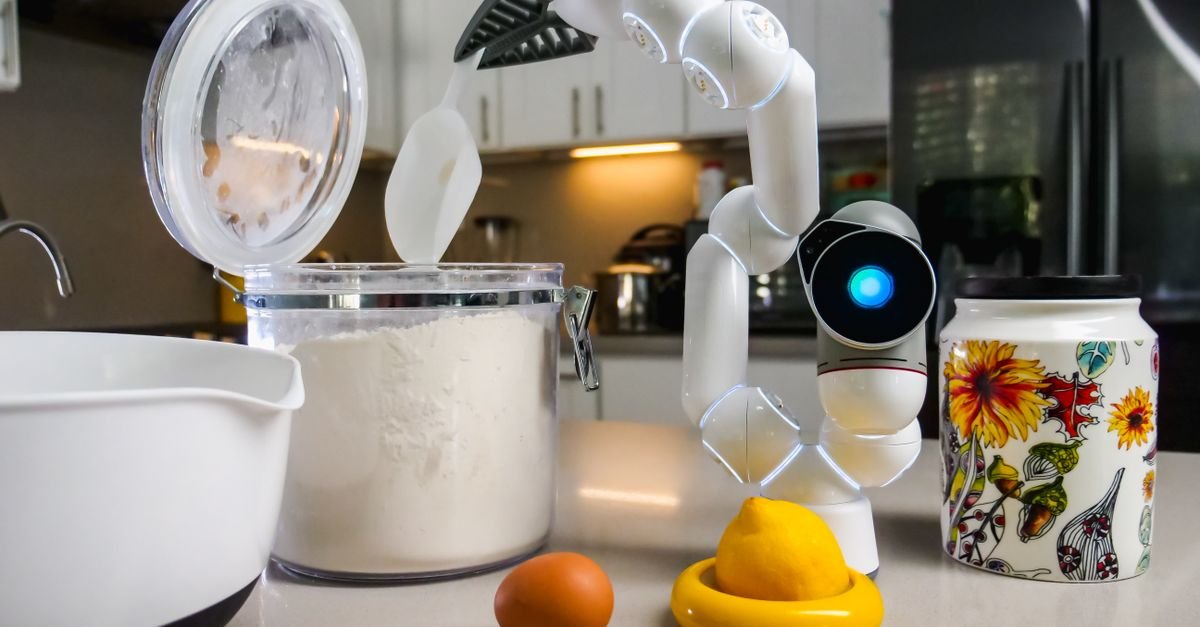
Kitchens collect crumbs, flour, and spills faster than any other room. A robot that handles daily floor cleaning frees up real time and keeps the space genuinely more hygienic between deep cleans. Models with mopping functions and a self-emptying base are the ones owners actually keep using a year later, because they remove the friction of maintenance.
4. A Smart Thermometer and Scale
These are the unsung heroes. A wireless meat thermometer takes the guesswork out of cooking proteins, which is where most home cooks waste money on ruined food. A connected kitchen scale makes baking repeatable and portioning accurate. Both are inexpensive, last for years, and improve results immediately — the definition of a smart upgrade.
Appliances Worth Waiting On
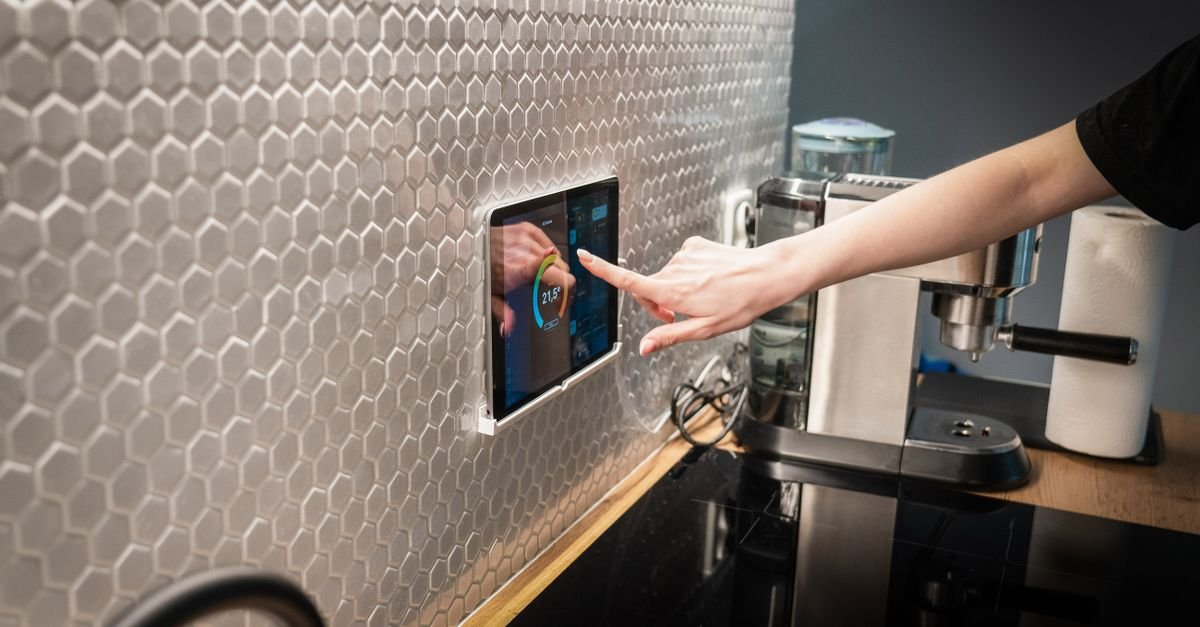
Not every flashy product deserves your budget yet. Smart refrigerators with large interior cameras and meal-planning screens remain expensive for what they deliver, and the screens often outdate faster than the fridge. Voice-activated faucets and tablet mounts are pleasant but rarely essential. If your budget is limited, put it toward appliances that cook, clean, or measure — the categories where automation saves the most effort.
The same logic applies to single-purpose gadgets. A connected egg tray or a Wi-Fi toaster adds clutter and another app to manage. A good rule: if a “dumb” version does the job nearly as well, buy the dumb version and put the savings toward an appliance where intelligence genuinely changes the outcome.
Building a Smart Kitchen in the Right Order
Most homes get the best results by upgrading in stages rather than all at once. Start with cooking (air fryer or smart oven), then add measurement tools (thermometer and scale), then tackle cleaning (robot vacuum), and finally consider convenience layers like a programmable coffee machine. Spreading purchases out also lets you learn what you actually use before committing to the next tier.
Compatibility is worth a moment of thought too. If you already use a particular voice assistant or smart-home hub, choosing appliances that work within that ecosystem keeps everything controllable from one place. But don’t let ecosystem loyalty push you into a worse appliance — a great standalone product beats a mediocre “compatible” one every time.
Caring for Smart Appliances So They Last
Connected appliances live longer with a little routine care. Keep firmware updated, clean filters and baskets on schedule, and avoid overloading machines beyond their rated capacity. Descale coffee machines and kettles regularly in hard-water areas. Treat the technology as a tool, not a disposable gadget, and a quality appliance will serve you for the better part of a decade.
Smart Kitchens for Small Spaces and Rentals
The smart kitchen conversation usually assumes a full remodel budget and a landlord-free life, but most of the highest-value upgrades are countertop citizens that move out when you do. A smart plug turns any dumb coffee maker into a scheduled one for the price of a sandwich. A countertop smart oven replaces a wall unit’s intelligence without touching the cabinetry. Smart bulbs in existing fixtures, a leak sensor under the sink held by nothing but gravity, and a voice speaker on the counter complete a genuinely automated kitchen with zero screwdriver moments.
The renter’s rule of thumb: anything that plugs in, sits on a surface, or sticks with removable adhesive is fair game; anything wired, plumbed, or drilled belongs in the someday file. Small kitchens add one more filter — every device must earn its counter inches. A multi-cooker that replaces three appliances earns them; a single-purpose gadget that automates something you do twice a year does not. The renter-friendly upgrade playbook applies in full here: invest in things you can take with you, and let the landlord keep the dumb dishwasher.
Choosing Your Ecosystem Before Your Appliances
The most expensive smart-kitchen mistake isn’t buying the wrong gadget — it’s buying good gadgets that refuse to talk to each other. Before the first purchase, pick the household’s voice-and-app home base: Amazon Alexa (widest budget-device support), Google Home (best if your life runs on Android and Google services), or Apple Home (tightest privacy story, happiest with iPhones). Then let that choice filter every product page — the compatibility logos matter more than the feature list.
The good news arriving industry-wide: the Matter standard is steadily making new devices ecosystem-agnostic, so recent purchases increasingly work everywhere. But older stock on discount shelves often predates it, which is exactly where compatibility heartbreak lives. The practical protocol: standardize on one ecosystem, prefer Matter-certified devices when prices are close, and keep every kitchen device on the same 2.4GHz Wi-Fi network name — half of all “my smart plug stopped working” complaints are really router-settings stories.
The Budget Build: Three Tiers That Make Sense
The $100 weekend tier: two smart plugs (coffee maker, kettle or slow cooker), smart bulbs for the main fixture, and a leak sensor under the sink. This tier automates morning routines and guards against the most expensive kitchen accident — water — for less than one dinner party. The $300–500 tier: add a voice speaker or smart display for timers, recipes, and shopping lists (arguably the single most-used smart device in any kitchen), a smart thermometer for the oven or grill, and a robot-vacuum-friendly floor plan for the crumb zone. The $1,000+ appliance tier: this is where the smart oven, dishwasher, or fridge enters — and where the guide’s buy-on-replacement rule matters most. Smart features ride major appliances; replacing a working appliance for its app is the definition of negative return. Upgrade when the compressor dies, not when the commercial airs.
Privacy, Data, and the Kitchen Microphone Question
A kitchen with a voice assistant is a room with an always-listening microphone, and pretending otherwise serves nobody. The honest calibration: wake-word devices buffer locally and transmit after the trigger — the practical risk for most households is data-profiling, not eavesdropping drama. The mitigations that cost nothing: review and delete voice history on a schedule (all three ecosystems allow it), use the hardware mute switch during sensitive conversations, and skip camera-equipped displays in the kitchen unless video calling there genuinely matters to you.
Appliance apps deserve the same scrutiny: a dishwasher that demands your location and contacts to start a rinse cycle is over-reaching, and the permission screen is the place to say no. None of this argues against the smart kitchen — it argues for entering it like an adult: read the toggles once at setup, and the convenience-to-privacy trade stays honestly in your favor.
Energy Reality: What Smart Actually Saves
The marketing says a smart kitchen saves money; the math says it depends where. The genuine savers: smart plugs killing standby draw on always-warm appliances (a heated coffee plate left on daily is real dollars a year), scheduling heavy loads — dishwasher, anything battery-charging — into off-peak rate windows where your utility offers them, and leak sensors preventing the four-figure water-damage event that dwarfs every other line on this page. The honest wash: a smart fridge doesn’t cool cheaper than a dumb one of the same efficiency class — the ENERGY STAR label saves money; the touchscreen doesn’t.
The audit worth doing once: a $15 energy monitor between the wall and each big appliance for a week tells you exactly which machines deserve automation attention, converting the whole conversation from vibes to data. Efficiency upgrades and smart upgrades are cousins, not twins — buy the efficient machine first, then make it clever.
The Five Smart-Kitchen Mistakes Everyone Makes Once
Buying single-purpose gadgets for multi-purpose problems — the avocado-specific tool of the smart world is a Wi-Fi egg tray. Automating before organizing — a smart kitchen with chaotic cabinets automates the chaos; declutter first, digitize second. Ignoring the household’s least technical member — if one person can’t turn on the lights without a lecture, the system has failed its actual job; every automation needs a manual override that works like the old switch did. Skipping the label maker on the router shelf — write the Wi-Fi details somewhere findable, because every device reset will demand them. Forgetting resale and moving day — keep boxes for hub devices, photograph setups before disassembly, and favor devices that factory-reset cleanly; the smart kitchen should move with your life, not anchor it.
Smart Kitchen Care: Keeping the Intelligence Alive
Smart appliances add one maintenance layer to the usual cleaning: updates and connectivity. The quarterly fifteen-minute ritual — run pending firmware updates (they patch security holes, not just features), reboot the router, confirm every device still answers — prevents the slow decay where half the kitchen quietly goes dumb again. Batteries in sensors and thermometers want a twice-yearly check; leak sensors especially, since a dead guardian is worse than none for the false confidence it provides.
And the analog fundamentals still rule the hardware underneath: degrease the smart range hood’s filters on the same schedule as a dumb one, descale the connected coffee maker monthly, and vacuum the fridge coils yearly. The app can remind you — that’s genuinely useful — but it can’t do the wiping. Intelligence ages well only on machines that are physically cared for, which was always the real appliance-longevity story.
A Day in the Automated Kitchen (What It Actually Feels Like)
Abstract features become concrete at 6:40 a.m.: the smart plug started the coffee maker ten minutes before the alarm, the counter display reads the day’s calendar while the kettle heats on a schedule, and a voice adds the last of the oat milk to a shared shopping list that both phones see. At dinner, the oven preheats on the commute home, the thermometer pings the phone when the chicken hits temperature instead of demanding oven-door vigils, and the timer conversation happens hands-free with flour everywhere. After dishes, the lights step down to their evening scene and the leak sensor stands its silent watch.
None of these moments is dramatic — that’s the point. Good kitchen automation removes forty small frictions a week rather than performing one big trick, and households consistently report the boring wins (scheduled coffee, voice timers, shared lists) as the features they’d fight to keep. Build for the daily moments first and the showpieces never feel missing.
Troubleshooting the Smart Kitchen (The 90% Fixes)
When a device goes quiet, the repair sequence that solves the vast majority of cases costs nothing: power-cycle the device (unplug ten seconds), reboot the router (the true culprit in half of all cases), check the app for a pending firmware update, and confirm the device is still on the 2.4GHz network — new routers love silently shuffling devices to 5GHz bands older gadgets can’t hold. Devices that drop repeatedly usually live at the Wi-Fi range boundary: a $30 mesh node in the kitchen ends months of intermittent mystery.
The escalation ladder after that: remove and re-add the device in its app, factory-reset as the last resort (photograph settings first), and check the manufacturer’s status page before blaming your hardware — cloud outages masquerade as broken plugs weekly. Keep this list taped inside a cabinet door; the household’s calmest member becomes tech support by default, and the ladder makes it a five-minute job instead of an evening.
Where the Smart Kitchen Is Heading (Buy With Tomorrow in Mind)
Three trends are worth letting into purchase decisions now. Matter-over-everything: the interoperability standard keeps absorbing device categories, so certified devices are the safest long-horizon buys — ecosystem lock-in is a shrinking prison. Appliance intelligence moving on-device: newer machines do more locally (fridge cameras cataloguing contents, ovens recognizing dishes) with less cloud dependence — good for privacy and for function surviving a dead startup’s servers, a real failure mode of first-generation gear. Energy orchestration: utilities increasingly pay households (bill credits, off-peak rates) to let smart appliances shift their heavy cycles — the dishwasher that runs at 2 a.m. is becoming a small revenue line.
The buying posture that ages well: favor standards over proprietary hubs, favor appliances whose core function is complete without the app, and let the first generation of any new category pay its early-adopter tax on someone else’s counter. The smart kitchen is a marathon of small upgrades — the guide’s replacement-cycle rule remains the pace that wins it.
The Smart Kitchen Starter Checklist (Print-and-Go)
The whole guide compressed into a shopping-day card: Before buying anything — pick the ecosystem (Alexa, Google, or Apple), confirm the kitchen has solid 2.4GHz Wi-Fi coverage, and list the three kitchen frictions that actually annoy you weekly; devices get bought against that list, not against advertisements. First purchases — two smart plugs, one leak sensor, smart bulbs for the main fixture, and a voice speaker or display: the complete foundation for around a hundred dollars. Within the year — smart thermometer for the cooks, scheduled heavy-load automation where off-peak rates exist, and a mesh node if any device drops weekly. On replacement only — the major appliances, chosen efficiency-first, Matter-certified where prices tie, with core functions that work app-free.
And the standing rules that keep it sane: one shared household app account with everyone aboard, quarterly firmware-and-reboot maintenance, manual overrides that work like the old switches did, and no device that demands more attention than the chore it automates. A smart kitchen should be quieter than a dumb one — in effort, not just decibels.
Gifting Smart Kitchen Gear (The Safe List)
Smart devices make risky gifts when they demand ecosystems the recipient doesn’t run — the safe-gift shortlist sidesteps it: a quality smart thermometer works with any phone, a smart plug pair suits every ecosystem, a countertop display serves whichever assistant the household already speaks, and a leak sensor is the gift nobody requests and everyone eventually blesses. The gift to avoid: any hub-dependent appliance or camera device — those are household decisions, not surprises. When in doubt, the energy monitor is the sleeper hit for the practical-minded: it turns their own kitchen into a puzzle they’ll enjoy solving.
Frequently Asked Questions
Are smart kitchen appliances worth the extra cost?
The ones that automate daily tasks — cooking, cleaning, and accurate measurement — are usually worth it because the time and food savings add up. Single-purpose novelty gadgets often aren’t. Judge each appliance by how often it solves a real problem.
What is the first smart appliance I should buy?
For most households, a multi-function air fryer or countertop smart oven delivers the biggest everyday improvement: faster cooking, lower energy use, and less cleanup.
Do smart appliances stop working without internet?
The good ones don’t. Always check that an appliance performs its core function offline. Reserve internet-dependent features for conveniences you can live without.
How do I keep smart appliances secure?
Use a strong, unique password for the app account, keep firmware updated, and put smart devices on a guest or separate network if your router supports it.
Key Takeaways
- Buy appliances that automate tasks you do several times a week — cooking, cleaning, and measuring deliver the most value.
- A multi-function air fryer or smart oven is the single best first upgrade for most kitchens.
- Wireless thermometers and connected scales are cheap, durable, and instantly improve results.
- Skip novelty gadgets where a simple version works nearly as well, and always confirm appliances still function offline.
- Upgrade in stages, keep firmware updated, and maintain filters and baskets so appliances last for years.
A smart kitchen isn’t about owning the most devices — it’s about removing friction from the meals and chores you face every day. Choose deliberately, upgrade in the right order, and your kitchen will feel effortless for years to come. For more room-by-room upgrade ideas, explore our home setup guides and the full Kitchen & Appliances collection.
More Kitchen & Appliances Guides & Reviews
- Which Paint is Best for Kitchen Cabinets? Discover Top DIY Options
- Pantry Organization Ideas: Zones, Selective Decanting, and the FIFO Habit
- Robot Vacuums for Kitchens: Floor and Maintenance Checks
- Gooseneck Kettles: Pour-Over Selection Guide
- Burger Spatulas: Blade, Handle and Pan Compatibility
- Wireless Charging Stations: Device and Power Compatibility
- Easy Recipes for Beginners: Quick and Delicious Meal Ideas
- How to Organize Your Kitchen: Simple Tips and Tricks
- Best Air Fryers Under $100: Top Picks for 2026
- How to Choose a Faber Kitchen Range Hood: Fit and Installation

I'm Nasir Uddin Khan, founder of HomeNeeds24 and a senior IT consultant with 18+ years' experience in Oracle database administration, enterprise infrastructure and ERP system design. I write the buying guides here and I build every calculator on the site myself, from published engineering standards rather than opinion. My research is structured rather than lab-based: manufacturer specifications, safety and efficiency standards, and the trade-offs that repeat across large volumes of verified customer reviews. Where I have direct hands-on experience — smart home, networking, energy and anything computer-adjacent — I say so in the guide.