
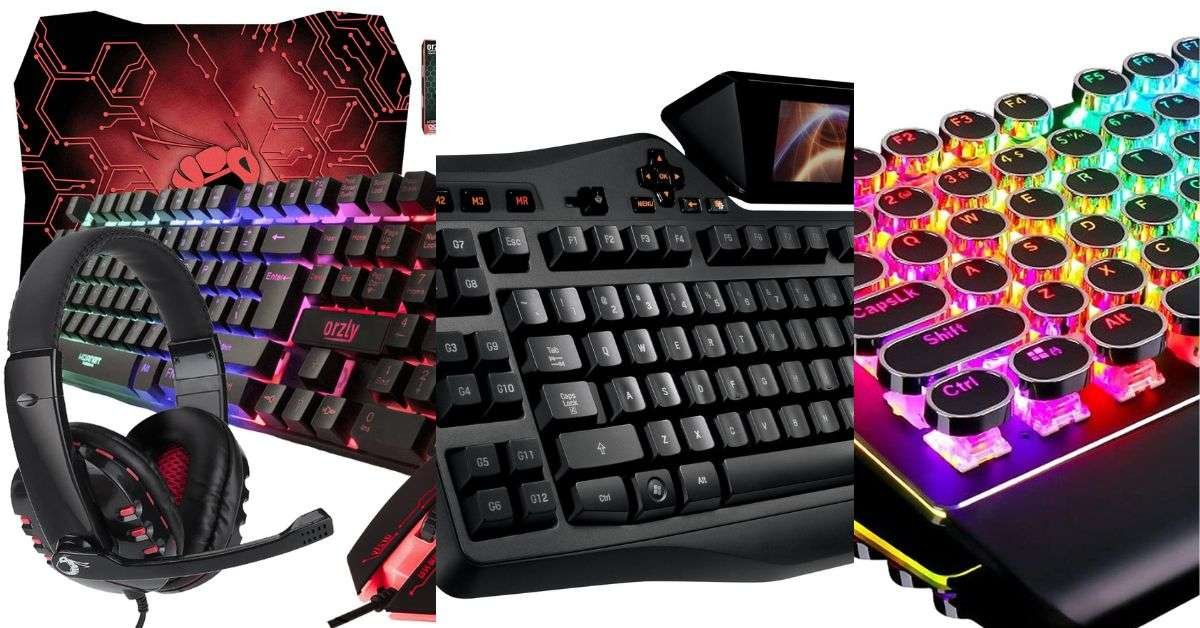
Start with the keys you need, not the lighting effects. A compact board can save mouse space but remove a number pad or dedicated navigation keys. Switch descriptions are useful for narrowing options, while noise and feel remain personal preferences rather than measured winners here.
Also Read


Review scope: This is a selection guide, not a hands-on product test. The linked products are unranked references, not verified performance recommendations. Check current model details, availability and terms with the seller and manufacturer.
Start with these checks
- Choose full-size, tenkeyless or compact layout.
- Check operating-system and software support.
- Compare wired and wireless connection needs.
- Confirm whether switches and keycaps are replaceable.
Put the comparison into practice
If a compact keyboard removes dedicated arrow keys, check the replacement key combination before ordering. A different layout can affect work as well as games. Software-driven macros and lighting should be checked against the operating system used, especially if the computer cannot install manufacturer software.
Further buying considerations
Key Switches
The type of key switches used in a keyboard will affect the typing experience. There are three main types of key switches: mechanical, membrane, and scissor. Mechanical switches are generally preferred by gamers due to their tactile feedback and durability.
Backlighting
Backlighting is an important feature for gamers who play in low-light conditions. Look for a keyboard with customizable backlighting options, including brightness levels and color options.
Macro Keys
Macro keys are programmable keys that allow for quick access to specific functions or commands. They are a valuable feature for gamers who want to improve their gameplay and reduce the time spent on repetitive tasks.
Ergonomics
Ergonomics is an important consideration when choosing a keyboard. Look for a keyboard that has a comfortable wrist rest and adjustable feet to ensure a comfortable typing experience.
Price
Lastly, consider your budget when choosing a keyboard. While some high-end keyboards may offer more features and customization options, there are also many affordable options that provide great value for money.
Before deciding
Record the exact item, the requirements it must meet and the source of each answer. Leave missing details marked unknown and ask the seller to clarify them. Check the complete delivered cost and the return conditions for that specific item; neither a similar model nor a listing photo resolves unanswered questions.
Unranked product references
These links identify options mentioned in the original article. They are not a tested shortlist, and a listing title is not an independently checked specification. Use them only after applying the criteria above.
- RedThunder K10 Wireless Gaming Keyboard and Mouse Combo
- Logitech G19 Gaming Keyboard
- Logitech G915 LIGHTSPEED RGB Mechanical Gaming Keyboard
- Logitech G15 Gaming Keyboard Backlit Black 867619-0403
- SteelSeries Apex Pro Keyboard
- Orzly Gaming Keyboard and Mouse Bundle
- Logitech G PRO Mechanical Gaming Keyboard
- ZIYOU LANG Wireless Gaming Keyboard Mouse Bluetooth Headset Kit
- DURGOD Heavy Duty Mechanical Keyboard
- RK ROYAL KLUDGE S108 Typewriter Style Retro Mechanical Gaming Keyboard
Affiliate disclosure: As an Amazon Associate, HomeNeeds24 earns from qualifying purchases. See the affiliate disclosure for details.

I'm Nasir Uddin Khan, founder of HomeNeeds24 and a senior IT consultant with 18+ years' experience in Oracle database administration, enterprise infrastructure and ERP system design. I write the buying guides here and I build every calculator on the site myself, from published engineering standards rather than opinion. My research is structured rather than lab-based: manufacturer specifications, safety and efficiency standards, and the trade-offs that repeat across large volumes of verified customer reviews. Where I have direct hands-on experience — smart home, networking, energy and anything computer-adjacent — I say so in the guide.