
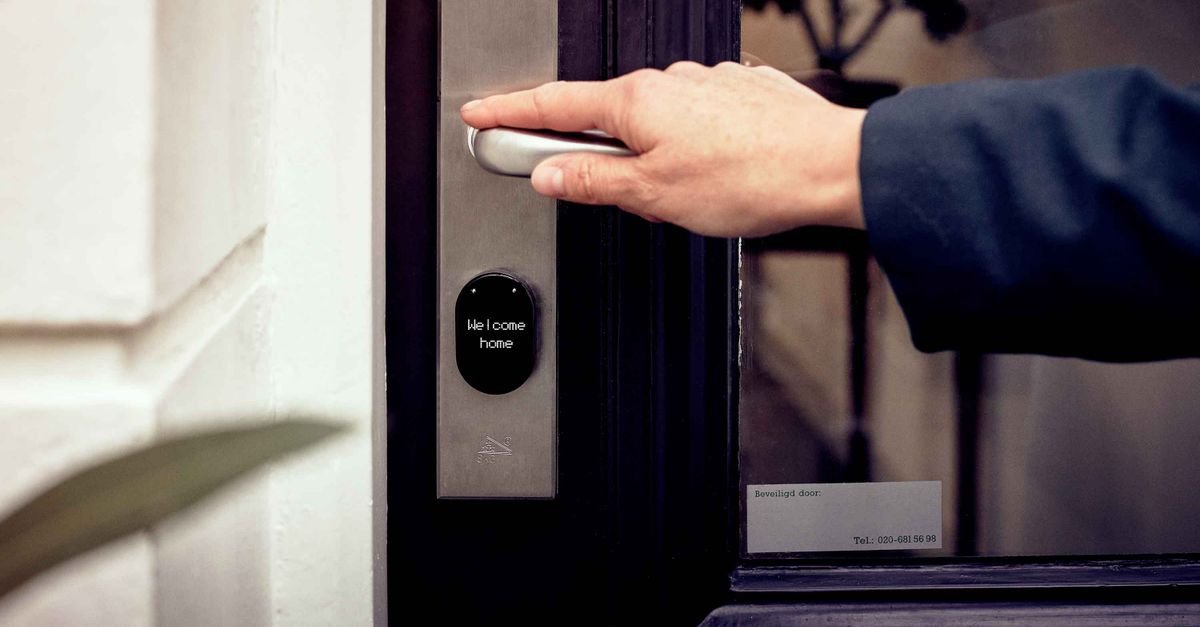
Choosing a smart lock comes down to three forks: form factor (full deadbolt replacement vs. retrofit that keeps your keys), unlock method (keypad, fingerprint, phone, or all three — redundancy wins), and connectivity (Bluetooth-only simplicity vs. WiFi remote access vs. hub ecosystems). Decide those for YOUR door and household, and the brand question mostly answers itself — the top tier of this category is deep, and the real differences live in battery life, app quality, and how gracefully each lock fails.
Also Read

This is the complete smart lock guide: the three forks decoded, the security question answered honestly (are they safer than keys?), installation reality by skill level, and the buying checklist that filters the aisle in five minutes.
Key Takeaways
- Retrofit locks (interior-side replacement) keep your existing keys and cylinder — the renter and landlord-peace option; full replacements upgrade the whole deadbolt.
- Auto-lock is the feature that changes lives: the door locks itself, and the did-I-lock-it commute ends forever.
- Redundant entry (keypad + app + physical key or fingerprint) beats any single method — batteries die, phones die, fingers get wet.
- Smart locks are not less secure than key locks when configured properly — unique passwords, two-factor, and updates are the actual lock.
- Codes beat keys for real life: per-person codes for family, temporary ones for sitters and trades, logs that show who came home when.
- Check your door FIRST: warped doors, misaligned strikes, and non-standard bores defeat smart locks before the box opens.
Fork One: Retrofit or Replace
The retrofit family replaces only the interior thumb-turn of your existing deadbolt: outside hardware unchanged, existing keys keep working, ten-minute screwdriver install, and total reversibility — the design built for renters, HOA-restricted doors, and anyone who likes their current keyway. The trade: you inherit whatever mechanical quality the existing deadbolt has.
The full-replacement family swaps the entire deadbolt: new exterior keypad or touchscreen, new bolt and strike, often a higher security grade than the builder-basic it replaces — the homeowner default. Check the lock’s ANSI/BHMA grade while you’re there (Grade 1 or 2 for exterior doors); a smart lock is still, first, a lock.
The honest sorter: renters and “keep my keys” households retrofit; homeowners upgrading builder hardware replace; and mixed households (smart for the family, key for the in-laws) lean retrofit or key-included replacements — which is most of them; fully keyless models are a deliberate minimalist choice with a battery-discipline contract.
Fork Two: How You’ll Actually Unlock
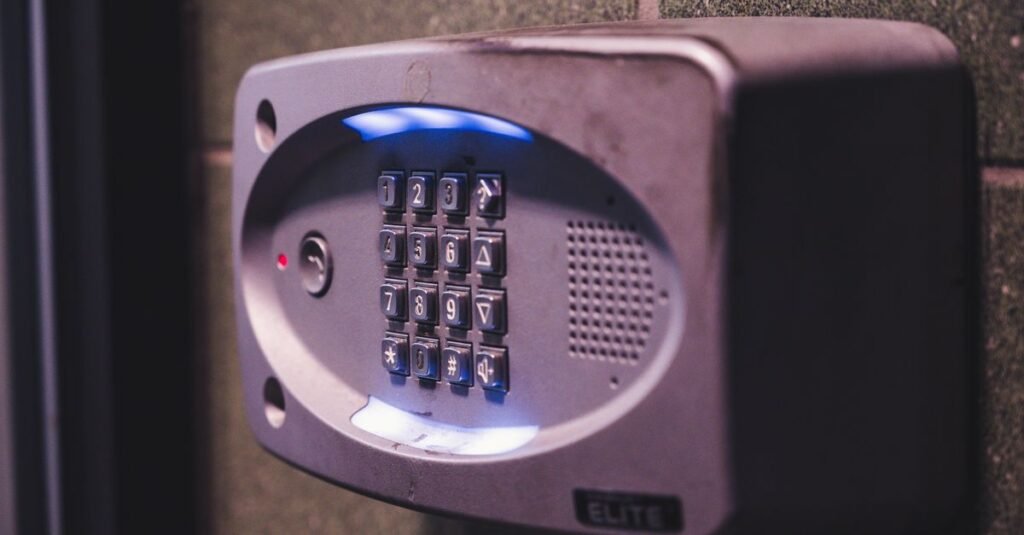
Keypads: the universal workhorse — codes for everyone, no phone required, glove-friendly buttons beat touchscreens in winter climates. Fingerprint: the fastest daily entry in the category when the reader is good (and a wet-finger fallback is essential). Phone/app: the remote superpower — unlock for the plumber from your desk — and the least reliable as an ONLY method (dead battery, dead phone, toddler holding your phone). Auto-unlock geofencing: magical when tuned, occasionally mistimed — treat as convenience, not access plan.
The principle over every method: redundancy. The lock you want offers at least two independent ways in, one of which needs no electronics at all (key or well-managed one-time codes). Households with kids: codes mean no lost keys, ever again, and the entry log quietly confirms the after-school arrival — a feature parents rank higher than any spec sheet does.
The 16-lock test above is the honest state of the category on camera — installation quirks, app realities, and which unlock methods survive daily life.

Fork Three: Connectivity (How Smart Is Smart Enough?)
Bluetooth-only: lock and phone talk directly at the door — simplest, cheapest, longest battery, and no remote anything. Right for “codes plus auto-lock” households.
WiFi (built-in or via bridge): the remote tier — unlock from anywhere, real-time notifications, delivery-driver codes issued from vacation. The trades: heavier battery draw (built-in WiFi especially) and your lock joins the router’s security perimeter.
Hub ecosystems (Z-Wave, Zigbee, Thread/Matter): the smart-home tier — locks in scenes (“goodnight” locks doors, arms the system per our security device guide), best battery of the connected options, and one more box to own. Choose it if a hub already runs your home; don’t buy the hub for the lock.
The future-proof note: Matter support is spreading through the category — worth preferring at equal price, not worth premium-chasing yet.
The Security Question, Answered Honestly
Are smart locks hackable? The nuanced truth: attacks on well-made, well-configured smart locks are rare and technical, while the failures that actually happen are configuration failures — default passwords, no two-factor, shared accounts, unpatched firmware. Meanwhile the key lock it replaced could be bumped, picked, or opened with the copy the previous owner’s dogwalker still has.
The honest ledger: smart locks REMOVE common risks (lost keys, hidden spares under the mat — retire that rock, today, whatever lock you own; unchanged locks after moves; unknowable key copies) and ADD manageable ones (account hygiene, battery discipline, firmware updates). Configured like an adult — unique password, two-factor on, auto-updates enabled, codes rotated when relationships change — the smart lock wins the comparison for most households.
Physical security still rules underneath: the strongest lock loses to a weak strike plate and a hollow door frame. While installing, upgrade the strike screws to 3-inch ones reaching the stud — the five-minute reinforcement our break-in guide calls the best free upgrade in home security.
Installation Reality (And the Door Audit First)
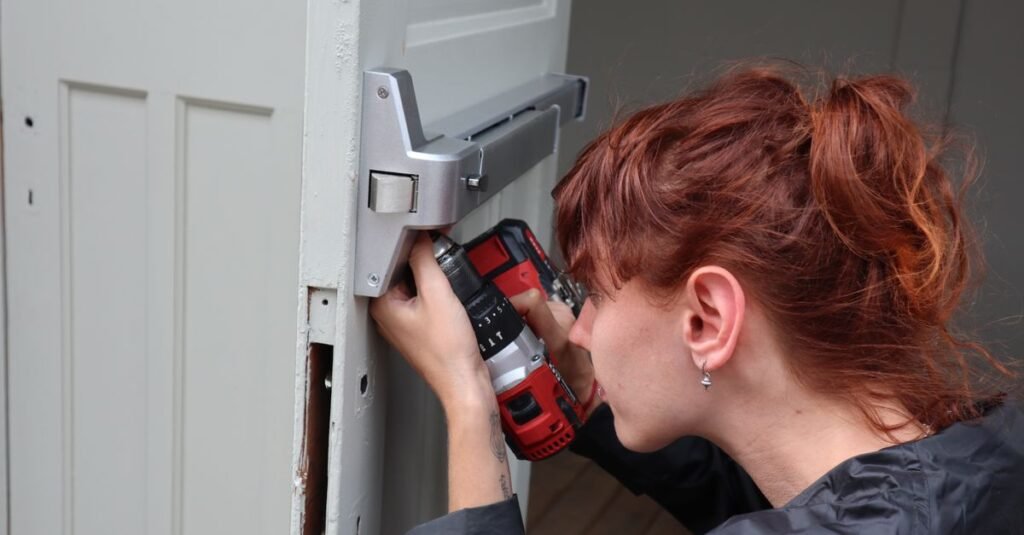
Before buying, audit the door: standard single-bore deadbolt (measure the backset — most locks fit both standards, verify anyway), a door that closes without lifting or shoving (a misaligned strike defeats every motorized bolt — fix alignment first, a screwdriver-and-file job), and frame condition worth the lock’s promise.
Install tiers: retrofits are genuinely a ten-minute screwdriver job; full replacements run thirty-to-sixty minutes of flat-pack-level difficulty with clear instructions; and smart lever/mortise setups or stubborn old doors earn a locksmith hour. The one universal step everyone rushes: the door-handing and calibration routine at setup — teach the lock its door slowly and it never fumbles; rush it and it forever half-throws.
Battery life in real numbers: expect months, not years — Bluetooth and hub models on the long end, built-in WiFi on the short. The lock warns loudly and early; heed the first warning, keep the emergency method alive, and note the exterior 9V-touch terminals or keyway most models keep as the dead-battery answer.
Codes as a Household System (The Feature That Reorganizes Life)
The spec sheets sell hardware; the daily payoff is code management. The working setup: one personal code per family member (never shared — the log stays meaningful), scheduled codes for recurring visitors (the cleaner’s works Tuesdays nine-to-noon and nowhere else), one-time codes for deliveries and trades issued from your phone and dead by dinner, and a duress-of-life audit every few months — codes rotate when relationships do: the ex, the former sitter, the contractor whose job ended.
The renter’s version of this system pairs naturally with the rest of the no-drill toolkit in our apartment security guide — retrofit lock, door bar, sensors — and the homeowner’s version slots into scenes: door locks, lights dim, system arms, one tap.
Two code disciplines that keep the system honest: no birthdays or address digits (the two guesses every stranger tries first), and no code taped inside the mailbox — the digital fake rock. The lock logs every entry; let the codes be worth logging.
The Buying Checklist (Five Minutes at Checkout)
Form factor matched to your fork (retrofit/replace), at least two unlock methods including one non-electronic fallback, auto-lock with adjustable delay, ANSI Grade 1–2 for replacements, connectivity ONLY at the tier you’ll use, battery type you’ll actually maintain, an app with recent updates and two-factor (read three recent reviews — app decay is the category’s silent killer), weather rating for exposed doors, and guest-code features that match your life (schedules for the cleaner, one-times for deliveries).
Budget honesty: the sweet spot of this category sits mid-range — premium buys finish, ecosystems, and marginal speed; budget corners cut app quality and reader reliability, the two things you touch daily. And whichever lock wins: register it, update it on install day, and put a battery-change reminder where you’ll see it — the smart lock’s only real demand is being treated like the small computer it is.
Frequently Asked Questions
Are smart locks safe, or can they be hacked?
Well-made smart locks with proper setup — unique password, two-factor, updated firmware — face rarer attacks than the bump-able, pick-able, endlessly-copied key lock they replace. Real-world failures are configuration failures; configure like an adult and the smart lock wins.
Do smart locks work if the WiFi or power goes out?
Yes — the lock itself runs on batteries and keypads/fingerprints/keys work without internet; only remote app features pause with the WiFi. Battery death has fallbacks too: physical keys, one-time codes, or 9V-touch terminals depending on model.
Can renters install smart locks?
Retrofit models replace only the interior thumb-turn: the landlord’s key and exterior hardware stay untouched, install is a ten-minute screwdriver job, and everything reverses at move-out — squarely lease-safe in most rentals.
What is the most reliable way to unlock a smart lock?
Redundancy is the answer: a keypad (works gloved, phone-dead, for guests) plus fingerprint or app, plus a non-electronic fallback. Single-method locks fail exactly when life is messiest.
How long do smart lock batteries last?
Months — longest on Bluetooth and hub models, shortest on built-in WiFi. Locks warn well in advance; change at the first warning and keep the fallback method alive, and the dead-battery lockout stays a forum story.
Do smart locks fit every door?
Most standard single-bore deadbolt doors, yes — verify backset and bore measurements against the box. Fix door-strike alignment BEFORE install: a door that needs a shoulder to close defeats every motorized bolt made.
Living With It: The First Month’s Adjustments
The settings that need a week of real life to tune: auto-lock delay (thirty seconds strands you at the mailbox; five minutes defeats the point — most households settle at one to two), auto-unlock geofence radius (too tight misses you, too loose unlocks for the driveway turnaround), and notification appetite (every-unlock alerts thrill for a week, then get muted — keep the after-midnight and failed-attempt tiers).
The household onboarding: teach the door the family’s rhythm before judging it — kids need one supervised week of code entry (make the code theirs to choose within rules; ownership beats forgetting), guests need the code TEXTED not spoken (autocorrect beats memory), and grandparents need the physical-key reassurance demonstrated once, after which they use the keypad forever and tell their friends.
The maintenance rhythm that keeps it boring: batteries at the first low warning (calendar the expected month), a firmware check when the seasons change, the bolt-throw listened to monthly (laboring motors announce strike drift early — a two-minute plate adjustment), and codes audited whenever life changes hands.
Month two is the verdict month: by then the lock is either invisible infrastructure — the goal — or a daily negotiation, which almost always traces back to door alignment or an over-clever settings choice from week one. Simplify toward boring; boring is what security feels like when it works.
Beyond the Front Door (Where Else Smart Locking Earns)
The garage-entry door: statistically a favorite burglar entrance and chronically under-locked — the second-best smart lock location in most homes, sharing codes and schedules with the front.
The back and patio doors: lever-style smart locks and slider-compatible solutions exist; pair with the track-bar basics from the renter guide, because motorized convenience never replaces mechanical resistance.
The detached spaces: sheds and workshops holding tool collections graduate from padlock to weatherproof smart padlocks or keypad hasps — entry logs matter where expensive things live quietly.
The interior applications nobody markets: the home-office door (work equipment, work privacy), the medicine or supply cabinet in multi-generational households, and the classic — the liquor cabinet with teenagers on approach; every one runs on cheap cabinet-scale smart latches.
The Airbnb-and-in-law tier: scheduled and one-time codes turn any secondary space into self-check-in territory with a full log — the use case smart locks were practically invented for.
The discipline across all of them: one ecosystem, not five apps — locks multiply politely inside a single platform and become a part-time job across several.
The Bottom Line
A smart lock purchase is three honest forks — retrofit or replace, which unlock methods, how connected — wrapped around one daily miracle: a door that locks itself and tells you so.
Pick redundant entry, configure the account like it guards your house (it does), reinforce the strike while you’re in there — and retire the fake rock. The key under it was always the real vulnerability.

I'm Nasir Uddin Khan, founder of HomeNeeds24 and a senior IT consultant with 18+ years' experience in Oracle database administration, enterprise infrastructure and ERP system design. I write the buying guides here and I build every calculator on the site myself, from published engineering standards rather than opinion. My research is structured rather than lab-based: manufacturer specifications, safety and efficiency standards, and the trade-offs that repeat across large volumes of verified customer reviews. Where I have direct hands-on experience — smart home, networking, energy and anything computer-adjacent — I say so in the guide.