
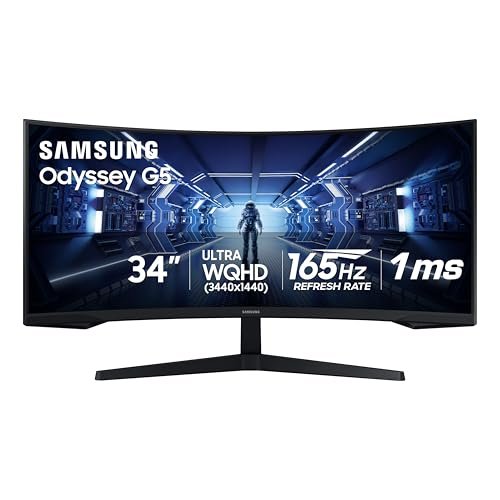
Once you game on an ultrawide monitor, a standard 16:9 screen feels cramped. Ultrawides wrap more of the world into your peripheral vision, pulling you deeper into the game and giving a real sense of scale — and they double as fantastic productivity screens. But they vary a lot in size, resolution, curve, and refresh rate, and not every game or PC suits them. This guide explains ultrawide monitors for gaming and how to choose the right one.
Also Read



What Is an Ultrawide Monitor?
An ultrawide monitor has a wider aspect ratio than a standard 16:9 display — typically 21:9 (or even wider 32:9 “super ultrawide”). That extra horizontal space gives you a broader field of view in games and far more room for windows when working. The result in gaming is greater immersion: more of the scene fills your vision, especially in open-world, racing, simulation, and strategy titles.

Why Game on an Ultrawide
The main draw is immersion. The wide field of view fills your peripheral vision, making expansive games feel cinematic and enveloping. In many genres it can also give a practical advantage by letting you see more of the battlefield or track at once. Beyond gaming, the same screen is excellent for productivity — multiple windows side by side, timelines, spreadsheets — so it earns its place as a do-everything display. For people who both game and work at their desk, an ultrawide is a compelling single-screen solution.
Key Specs to Understand
- Resolution: common ultrawide resolutions deliver sharp detail across the wide screen; higher resolution looks crisper but demands more from your graphics card.
- Refresh rate: higher refresh rates (well above 60Hz) make motion smoother — important for fast, competitive games.
- Response time: lower is better for fast action, reducing blur.
- Panel type: IPS gives great color and viewing angles; VA offers strong contrast; OLED delivers the best contrast and color but at a premium. Choose based on whether you prioritize color, contrast, or speed.
- Curve: many ultrawides are curved, which helps keep the far edges at a comfortable viewing distance — more on this below.
- Adaptive sync: variable refresh (to match your GPU) reduces screen tearing and stutter.
Curved vs. Flat Ultrawides
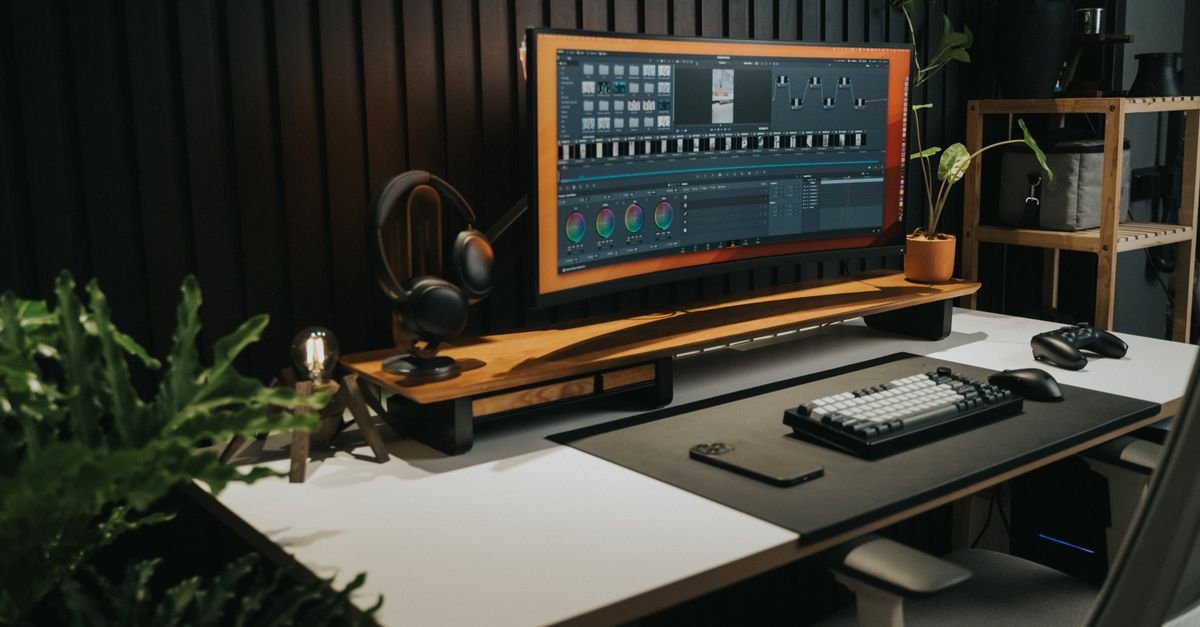
Most gaming ultrawides are curved, and there’s a good reason: on a very wide screen, a curve keeps the edges roughly equidistant from your eyes, which feels more natural and immersive and reduces the sense of distortion at the far sides. For gaming and immersive use, a curved ultrawide is generally preferred. Flat ultrawides can be better for certain precise design work where straight-line accuracy matters, but for gaming, the curve is usually the better choice.
As an Amazon Associate, HomeNeeds24 earns from qualifying purchases.
Make Sure Your PC & Games Can Handle It
Two important caveats before you buy. First, driving a high-resolution, high-refresh ultrawide takes a capable graphics card — pushing all those extra pixels smoothly is demanding, so check your GPU is up to the games you play at ultrawide resolution. Second, not every game supports the 21:9 aspect ratio natively; most modern titles do, but some older or competitive games may show black bars or stretch the image. Check that the games you care about support ultrawide before committing, so you get the immersive payoff you’re paying for.
Desk Space & Ergonomics
Ultrawides are physically wide and need adequate desk depth and width — measure your space first. Because they’re large, viewing distance matters: sit far enough back that you can comfortably take in the whole screen without constantly turning your head. A sturdy stand or a monitor arm helps with positioning and frees desk space. Position the screen at eye level for good posture during long sessions.
Is an Ultrawide Right for You?
An ultrawide is a great choice if you play immersive single-player, open-world, racing, simulation, or strategy games, and especially if you also work at your desk and want the extra screen real estate. It’s less ideal if you mainly play competitive esports titles that don’t support 21:9 (or where pros stick to standard ratios), or if your PC can’t drive it smoothly, or your desk is too small. Weigh immersion and productivity against your games, hardware, and space. For many gamers who also work, it’s one of the most satisfying upgrades available.
Frequently Asked Questions
Are ultrawide monitors good for gaming?
Yes — they offer a wider field of view and greater immersion, especially in open-world, racing, simulation, and strategy games. Just confirm your games support 21:9 and your PC can drive the resolution smoothly.
Should I get a curved or flat ultrawide?
For gaming and immersion, curved is generally preferred — it keeps the wide screen’s edges at a comfortable viewing distance and feels more natural. Flat can suit precise design work.
Do I need a powerful PC for an ultrawide?
Yes, a capable graphics card — the extra pixels of a high-resolution, high-refresh ultrawide are demanding to render smoothly. Check your GPU against the games you play at ultrawide resolution.
Do all games support ultrawide?
Most modern games support 21:9, but some older or competitive titles don’t and may show black bars or stretch. Check the games you care about before buying.
Key Takeaways
- Ultrawide (21:9+) monitors give a wider field of view, more immersion, and great productivity space.
- Key specs: resolution, refresh rate, response time, panel type, curve, and adaptive sync.
- Curved ultrawides are generally better for gaming immersion than flat.
- Confirm your PC can drive it and that your games support 21:9 before buying.
- Allow enough desk depth and set viewing distance and height for comfort.
An ultrawide monitor transforms both immersive gaming and desk productivity — if your games and PC are ready for it. Match the specs and curve to your needs, confirm compatibility, and set it up with comfort in mind. For more, visit our home tech guides and the full Gaming & Entertainment collection.

I'm Nasir Uddin Khan, founder of HomeNeeds24 and a senior IT consultant with 18+ years' experience in Oracle database administration, enterprise infrastructure and ERP system design. I write the buying guides here and I build every calculator on the site myself, from published engineering standards rather than opinion. My research is structured rather than lab-based: manufacturer specifications, safety and efficiency standards, and the trade-offs that repeat across large volumes of verified customer reviews. Where I have direct hands-on experience — smart home, networking, energy and anything computer-adjacent — I say so in the guide.